How to Upload Documents?
Online Document Submission (hangseng.com/promo01)

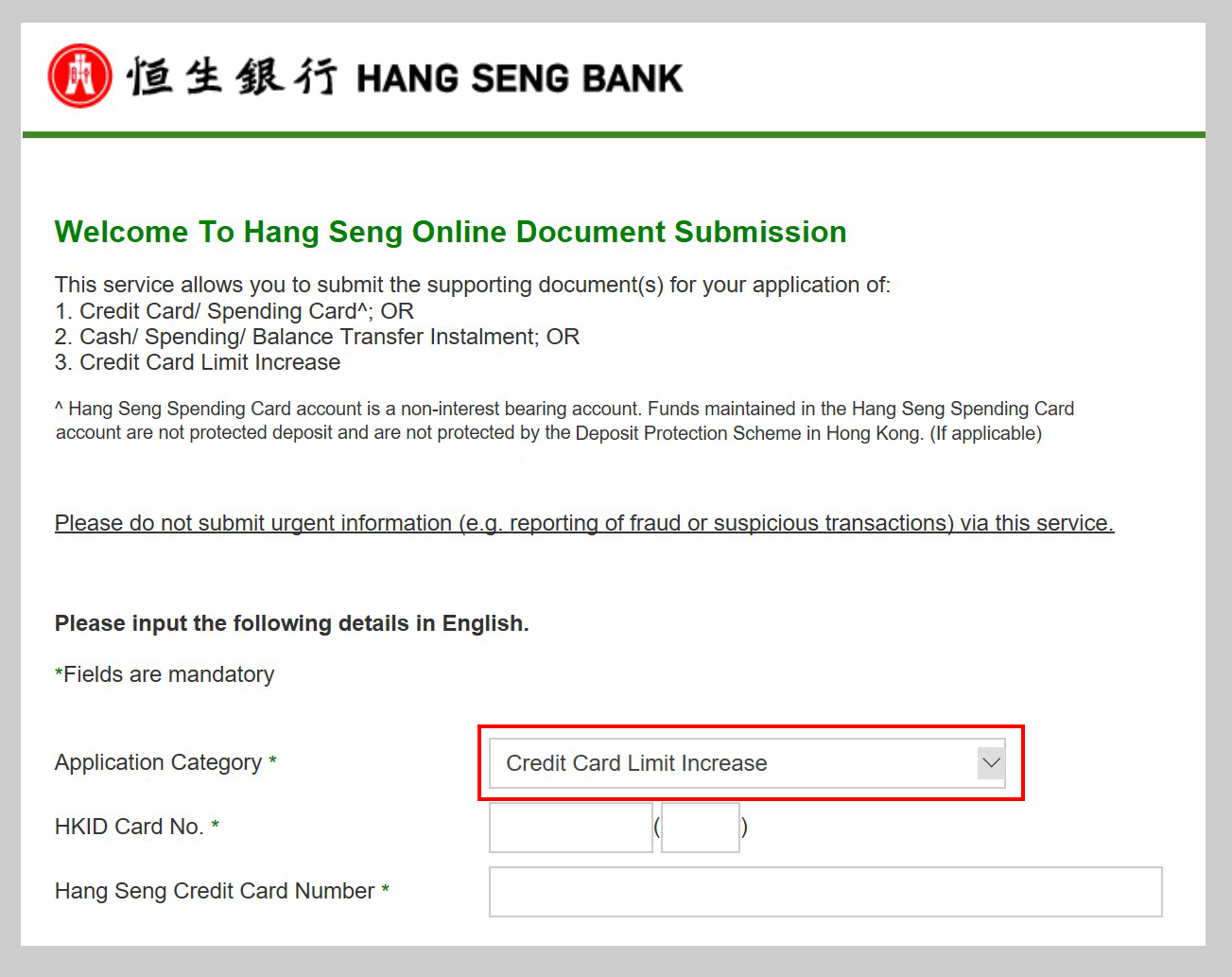
Click "Submit Documents Here"

In the Application Category box, select "Credit Card Limit Increase"

Enter your personal details

Upload documents
- Subject to a maximum of 5 files, each with a file size no bigger than 2MB
- File format has to be GIF, JPG (JPEG), TIF (TIFF), PNG or PDF
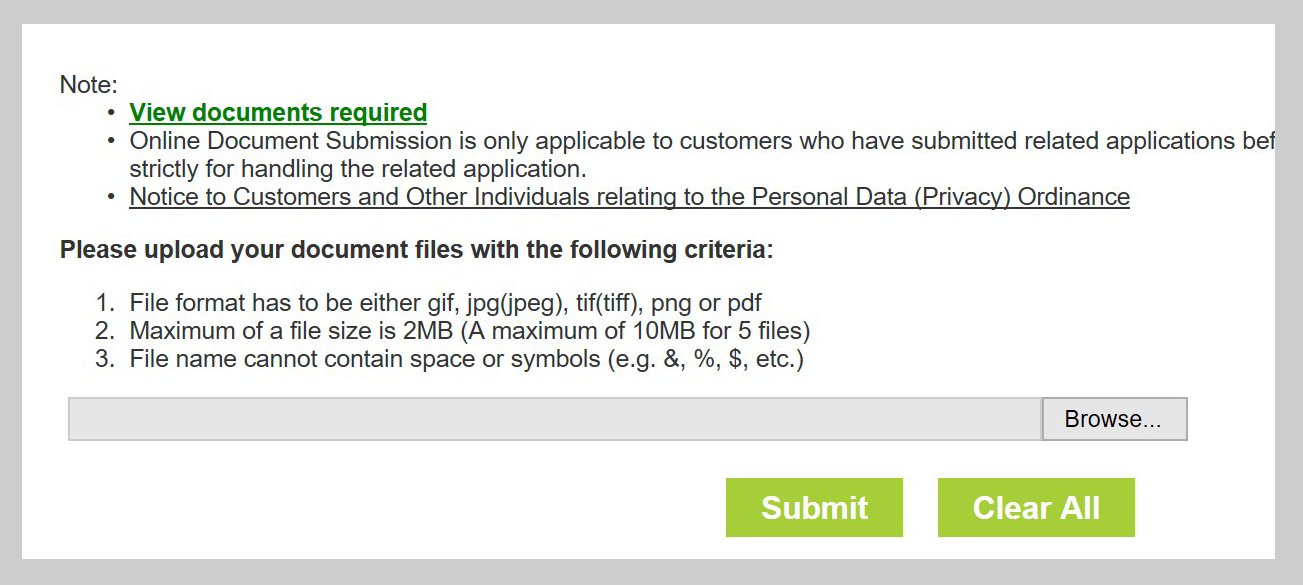

Confirm and submit
Hang Seng Personal Banking Mobile App
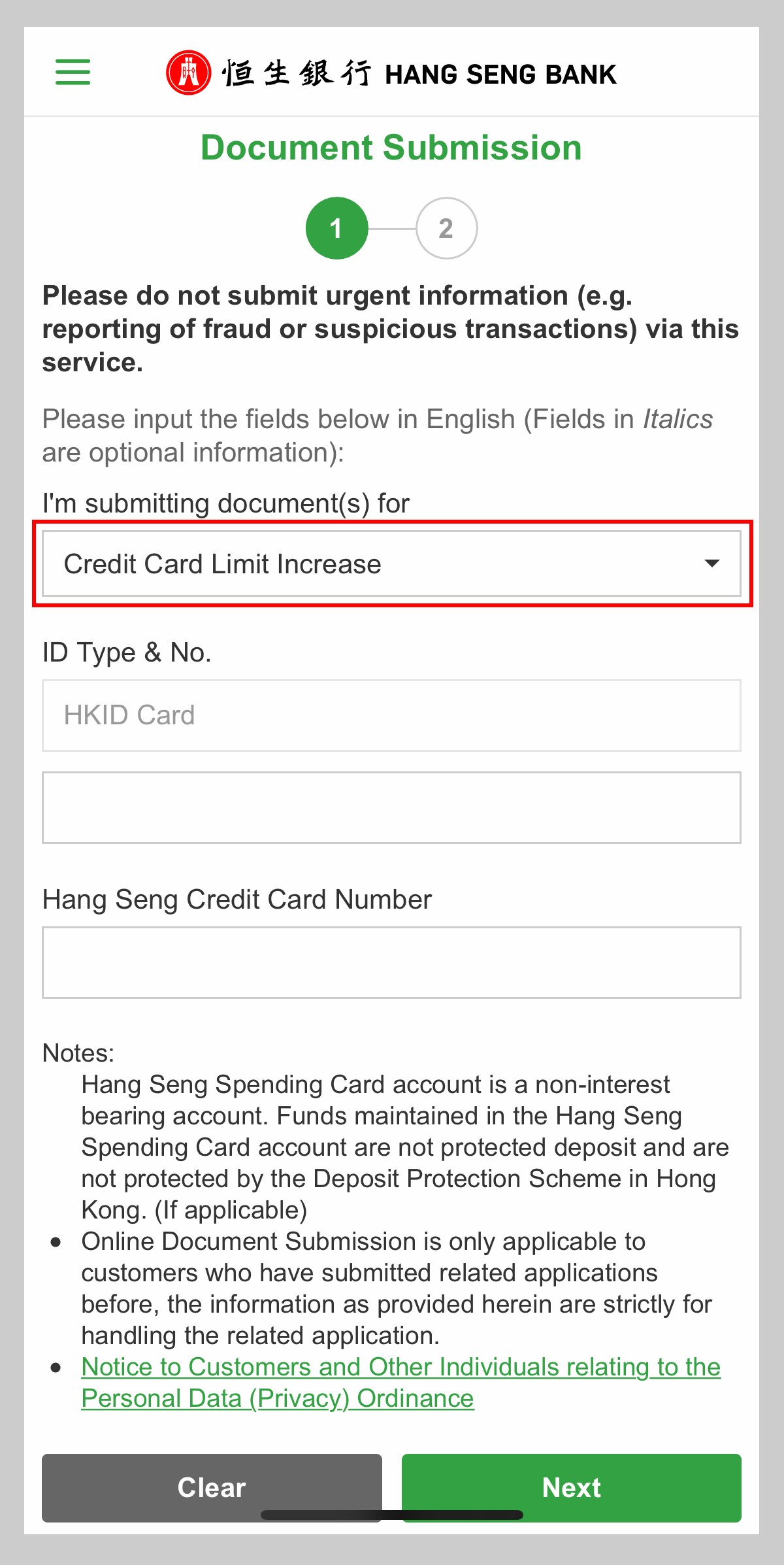
Select "Cards" > "Document Submission"
Under "I'm submitting document(s) for", select "Credit Card Limit Increase"
Enter your personal details
Upload documents
- Subject to a maximum of 5 files, each with a file size no bigger than 2MB
- File format has to be JPG (JPEG) or PNG
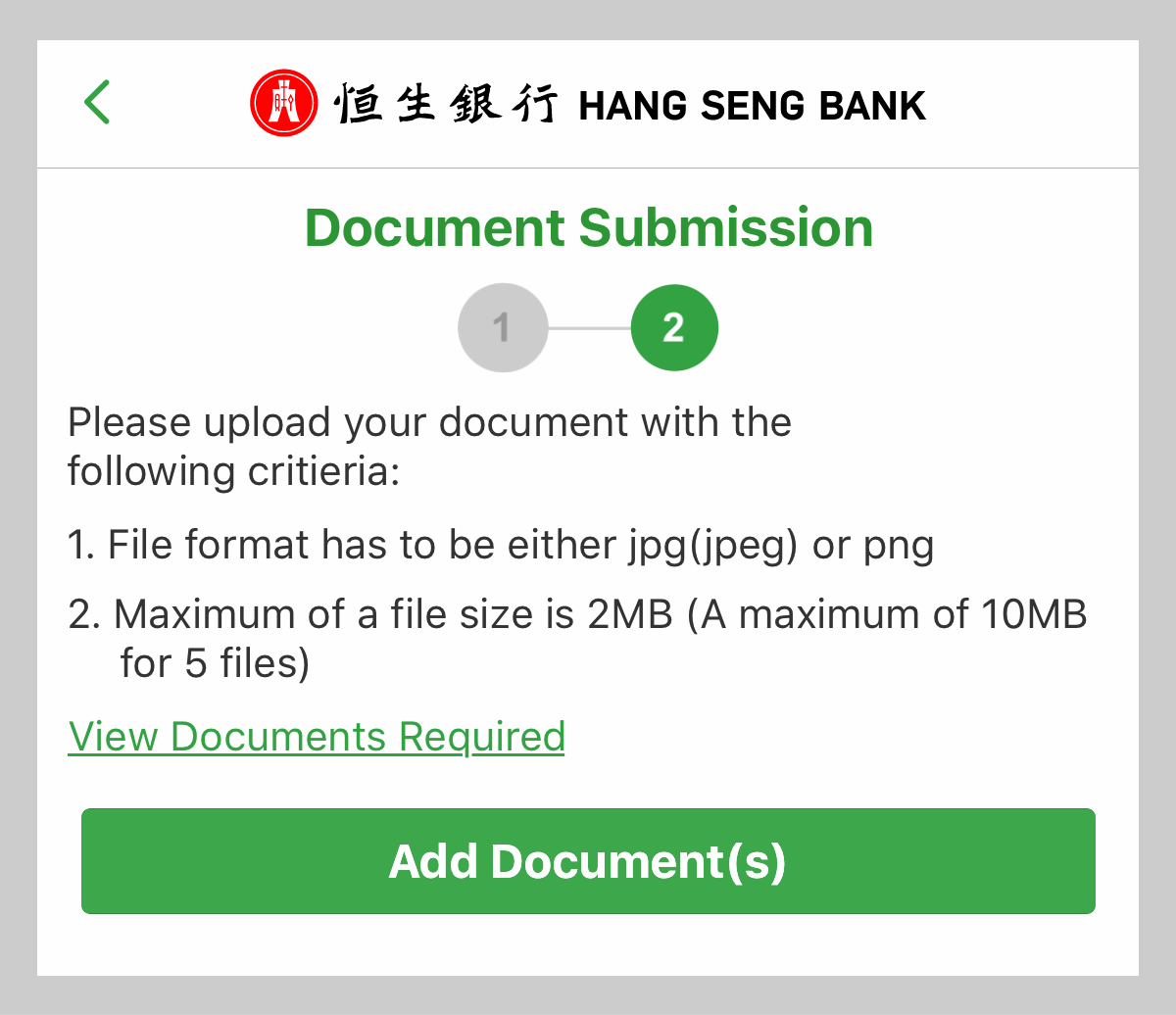
Confirm and submit