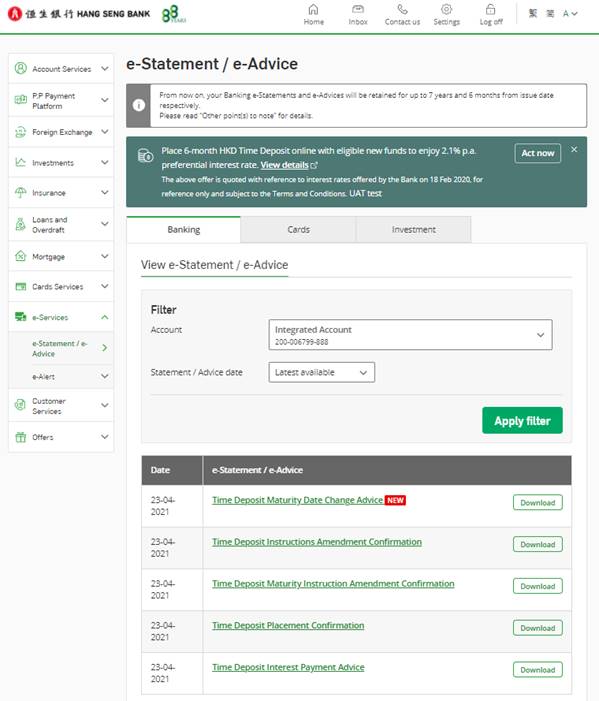
e-Statement / e-Advice Registration
1. Logon to Personal e-Banking > Customer Services
> Account Maintenance > Account List and maintain e-Statement / e-Advice
2. Select the account(s) to receive e-Statement /
e-Advice and follow the instruction to complete the registration




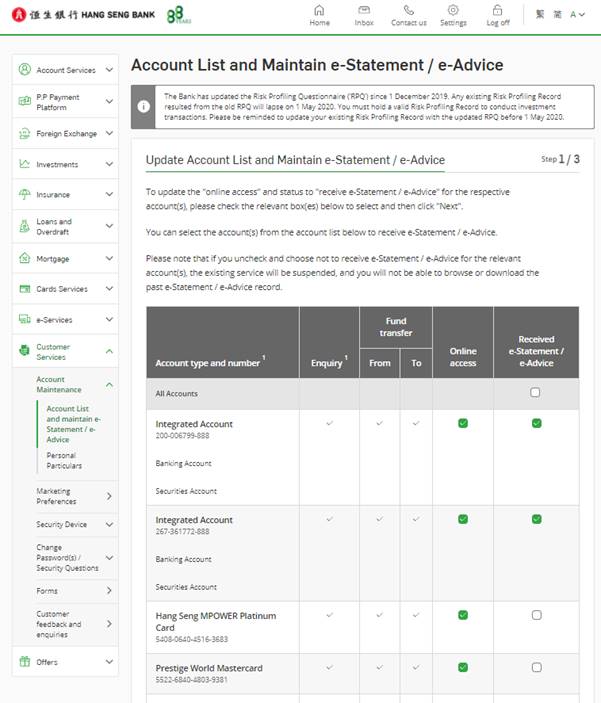
View e-Statement / e-Advice
1. Logon to Personal e-Banking > e-Services >
e-Statement / e-Advice
2. Select the account
3. Click to view or download respective e-Statement /
e-Advice